Your AI dev team.
Production ready.
Maestro App Factory™ orchestrates a crew of specialized AI agents — a Product Manager, an Architect, and a team of Coders — that build production-quality software the way a disciplined engineering team would. If you can describe what you want in detail, Maestro can build it in code.

Describe the software you want.
Maestro will build it.
Just explain your vision to Maestro and let it write the code.
Teams & Enterprises
Maestro works like an on-demand contractor team. Describe what you need, set it running, and review the finished work in GitHub — without managing headcount or context-switching your engineers off existing priorities.
Founders & Product Managers
You understand software. You don't necessarily write it. Maestro bridges that gap by conducting a structured requirements interview, making technical decisions, and delivering working code. Your job is to describe the outcome clearly and review what comes back.
Developers & Technical Hobbyists
Use Maestro to handle the implementation work while you focus on architecture and direction. Choose your models, run offline, customize the workflow, and dig into the source whenever you want. Full Go source is available under MIT.
Take three steps. Then go do something else.
Maestro is designed to be autonomous. Once your specification is accepted, you don't sit there approving commands. You come back to working code.
Describe what you want.
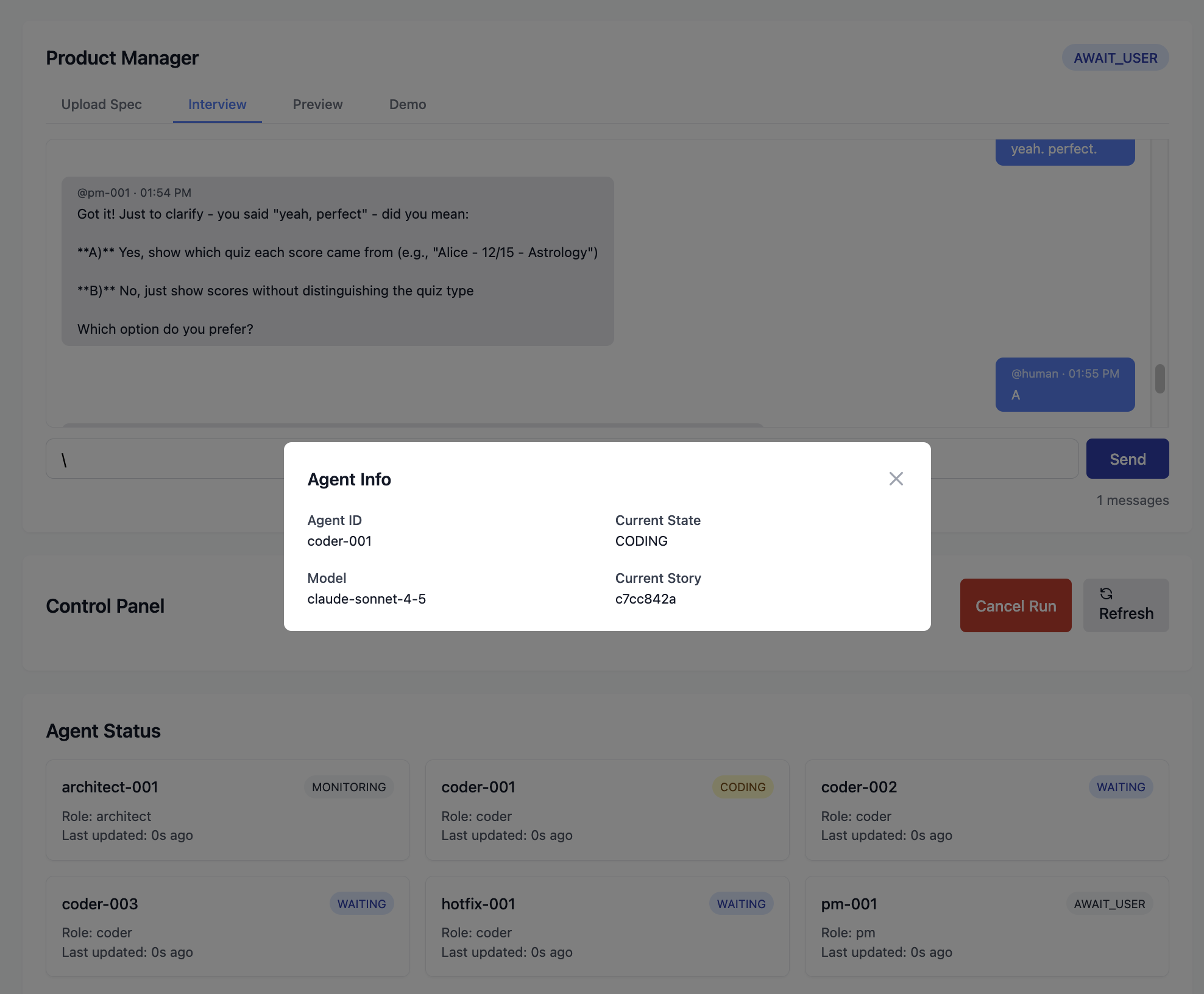
Open the web UI and start a PM interview. Maestro's Product Manager agent asks structured questions tailored to your experience level, which you answer in plain English. When it has enough to work with, it shows you a preview of the full specification before anything gets built. You can also skip the interview entirely and upload your own spec file.

Maestro builds it.
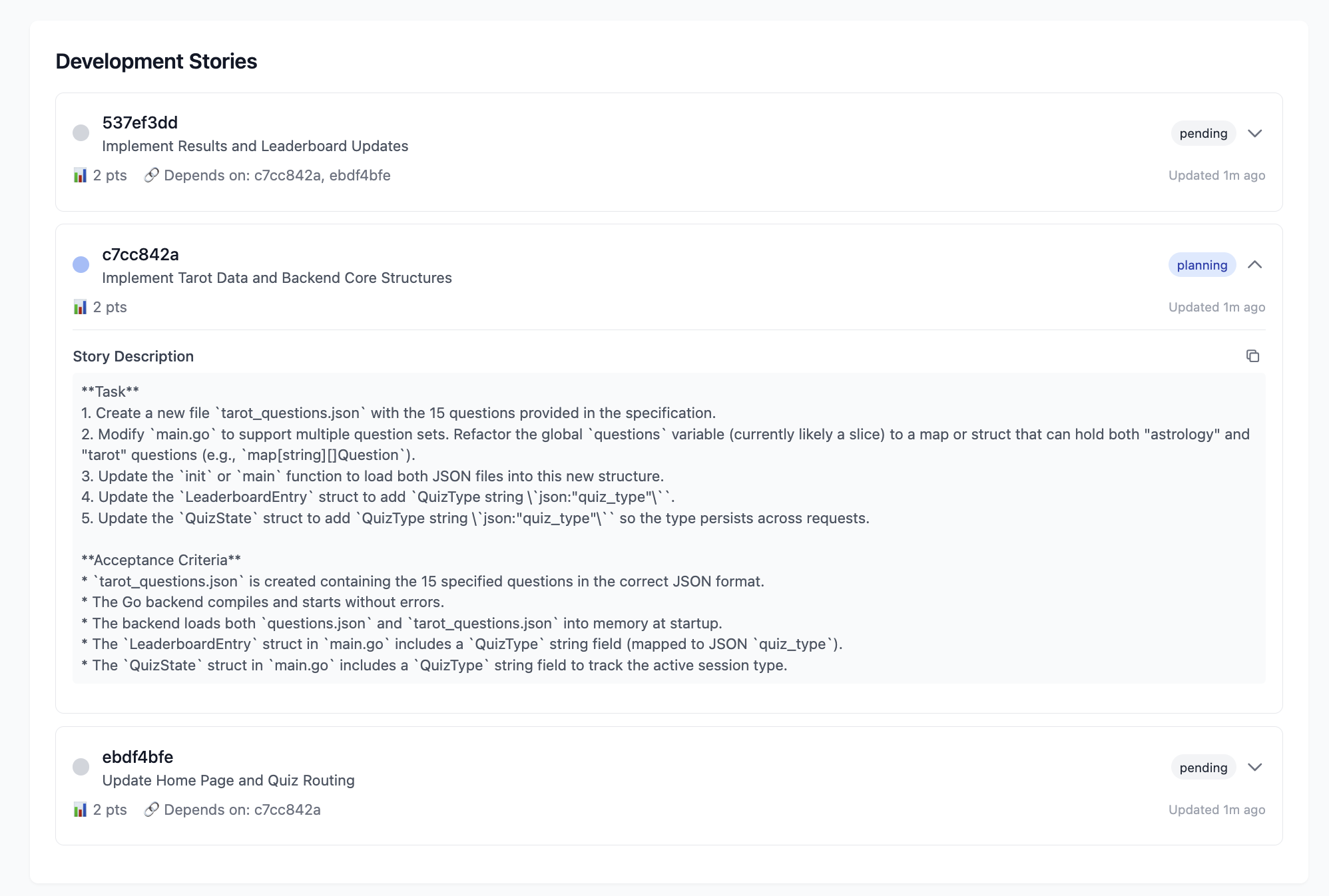
The Architect agent reviews the spec, creates a technical plan, and breaks it into development stories. A parallel crew of Coder agents picks up the work — writing code, running tests, and opening pull requests. The Architect reviews every PR before it merges. Nobody reviews their own work.
You review. You ship.
Working code lands in your GitHub repo, with test coverage and a full PR history. Maestro even spins up a live preview of the running application so you can see it before you ship. Every token and every dollar spent is tracked in the dashboard.
Starting from the very beginning? Maestro can walk you through setting up a GitHub repo, explain how tokens work, and provide as much technical support as you need at every stage.

Every project ships with a full team.
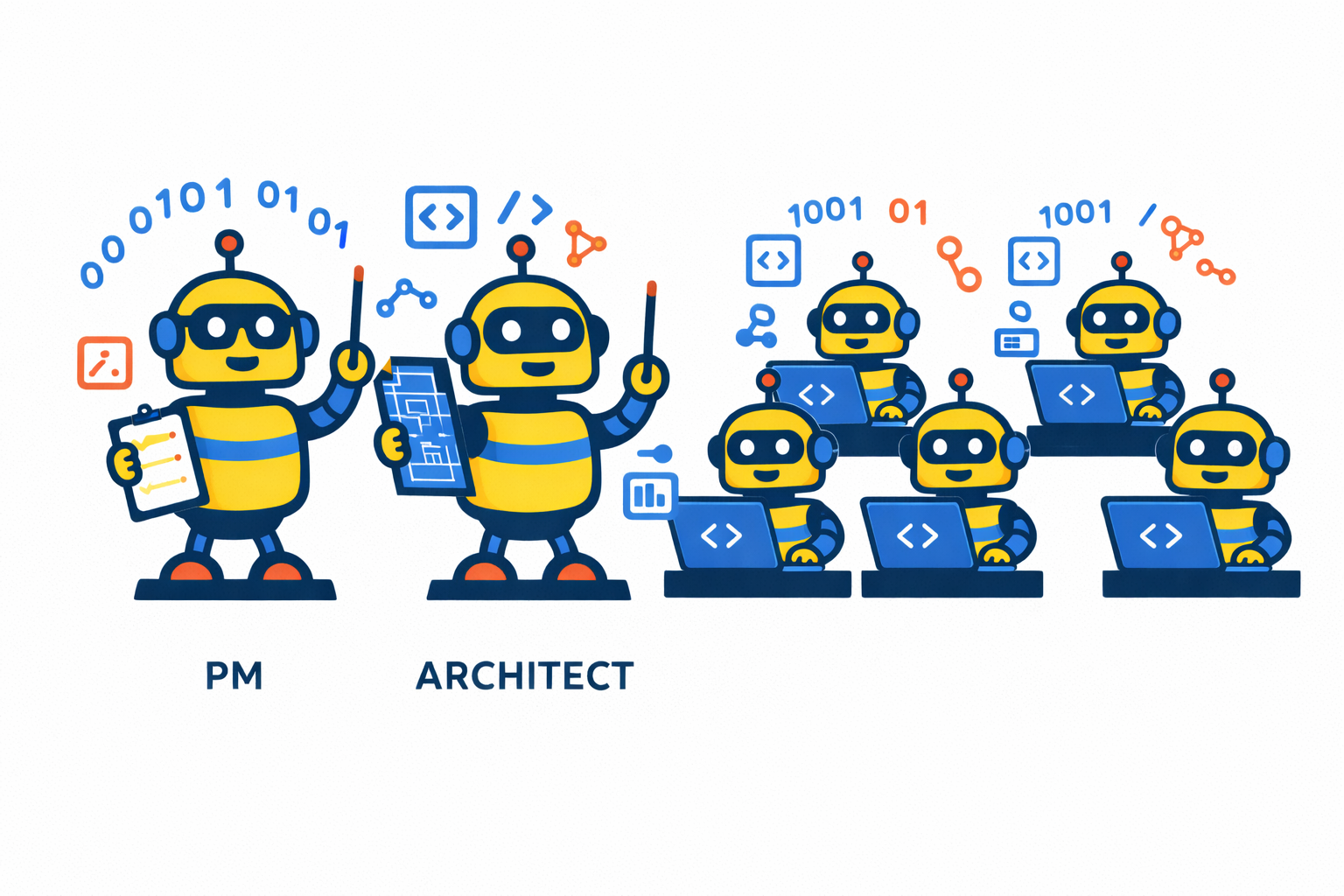
Maestro doesn't use a single AI model trying to do everything. It assigns specialized agents to specialized roles — and deliberately keeps them from reviewing their own work.
Product Manager
Conducts a structured requirements interview, adapts to your technical level, and produces a clear specification before a single line of code is written. If you already have a spec, it reads that instead and gets straight to work.
Architect
Translates requirements into a technical plan, breaks the work into stories, dispatches them to the Coders, and reviews every pull request. By design, the Architect never writes code. That separation keeps quality high.
Coders
A parallel crew that pulls stories from a queue, plans their approach, gets Architect approval, writes code, runs tests, and submits PRs. If one stalls, Maestro restarts it automatically. All progress persists, so a crash is a minor inconvenience, not a lost workday.
Built for projects that actually have to work.
One binary. No dependency drama.
Download a 15MB binary or use Homebrew/APT. Maestro uses your existing development tools — Docker and a GitHub token — and nothing else. No runtime environments to configure, no package managers to wrestle with.
Mix and match models.
Use Claude for the Architect, ChatGPT for Coders, or run everything locally with Ollama. Maestro supports Anthropic, OpenAI, and Google models out of the box, plus any open-weight model via Ollama. Heterogeneous configurations tend to catch errors that single-provider setups miss.
Works anywhere. Even offline.
Originally built for a developer doing disaster relief work in areas without reliable connectivity, Maestro is the only AI development tool with a fully offline mode. Swap cloud models for local Ollama models and GitHub for a local Gitea server. No internet is required. No data leaves your machine.
Full cost visibility.
Every token and every dollar is tracked per story, per agent, per session. No surprise bills at the end of the month. Know exactly what each feature cost to build.
Institutional memory.
A built-in knowledge graph preserves your architectural decisions and coding conventions across sessions. Agents automatically follow your established patterns — even on a project that's been running for months. The graph grows as your project does.
Advanced context management.
Large projects can fit into limited LLM context windows through advanced context management including branching, memory, and searchable reference material. The Architect keeps the big picture. Coders can focus on their work.
Security is structural, not aspirational.
AI agents that can run code have real access to real systems. Maestro takes that seriously.
Every agent runs in a hardened Docker container — read-only root filesystem, no-new-privileges flag, resource limits, unprivileged user (1000:1000). Container isolation is table stakes. What's less common is what happens inside.
Maestro integrates agentsh, a purpose-built shell wrapper that enforces access controls at the operating system level. The philosophy: prompts are guidance, but if you really care about something, enforce it in workflow. Your system is protected not because we asked the AI nicely, but because the architecture makes violations structurally difficult.
Ready when you are.
Free. Open source. Runs on your machine.
macOS App
Recommended for most usersThe native macOS Control Panel gives you a full graphical interface for setup, configuration, and monitoring. Everything you need in one download — no terminal required to get started.
⬇ Download for macOSRequires macOS 13+, Docker Desktop
CLI / Power Users
macOS & LinuxAvailable via Homebrew, APT (Debian/Ubuntu), or direct binary download. Works on macOS and Linux. Customize everything.
brew install --cask SnapdragonPartners/tap/maestro
# Add the Maestro APT repository (one-time setup)
curl -fsSL https://snapdragonpartners.github.io/maestro/key.gpg | sudo gpg --dearmor -o /usr/share/keyrings/maestro.gpg
echo "deb [signed-by=/usr/share/keyrings/maestro.gpg] https://snapdragonpartners.github.io/maestro stable main" | sudo tee /etc/apt/sources.list.d/maestro.list

# Install (or upgrade)
sudo apt update && sudo apt install maestro
Direct binary downloads for macOS and Linux, plus instructions for building from source (Go 1.24+).
Full install instructions on GitHubRequires Docker · macOS and Linux · Go 1.24+ if building from source
Your code stays on your machine. Your API keys are encrypted locally. MIT licensed.
Free to use. Built in public.
Maestro is MIT licensed and developed openly by Snapdragon Partners. The community version will always be free. If Maestro saves you time and you want to support continued development — API tokens for building and testing aren't cheap — we'd genuinely appreciate it.
Common questions.
Do I need to know how to code?
Not to use Maestro. You do need to be able to describe software clearly — the same way a Product Manager or a technical founder would. If you can explain what you want built in enough detail that a developer would understand it, Maestro can build it. The PM agent will ask you clarifying questions along the way. You'll never need to read or write code, though it's all right there in GitHub if you want to.
What kinds of projects can I build?
Maestro is a flexible tool designed for building many different kinds of software. It excels at web applications — including complex ones with databases and other infrastructure requirements — as well as AI agents and multi-step workflows. It supports all common programming languages. The main limitation is native Apple applications that can't be containerized.
What AI models does it support?
Maestro supports Anthropic (Claude), OpenAI (ChatGPT), and Google (Gemini) models through their official SDKs, so new models are available as soon as they're released. It also supports local open-weight models through Ollama. You can assign different models to different agent roles — the PM, Architect, and Coders can each use a different provider.
Can I provide my own spec instead of doing the interview?
Yes. Place a markdown specification file in your project directory and Maestro will parse it directly, skipping the PM interview entirely.
Is my code and data private?
Maestro runs entirely on your machine. Your code is only saved externally to your GitHub repo and exposed to the AI model providers you specify. If that's not enough, use airplane mode and no code leaves your machine at all.
What happens if Maestro crashes?
Nothing is lost. All stories, agent states, tool usage, messages, and progress are persisted in SQLite. On restart, the Architect and Coders resume exactly where they left off.
Do I need a GitHub account?
In standard mode, yes — Maestro's workflow uses pull requests and merges, so a GitHub token with push/PR/merge permissions is required. In offline (airplane) mode, Maestro spins up a local Gitea server instead, so no external accounts are needed. You can sync back to GitHub later with --sync.
Don't have a GitHub account or know what to do with one? Maestro can walk you through the process step by step and provide detailed support at every stage.
I installed the macOS app and I don't see it. What happened?
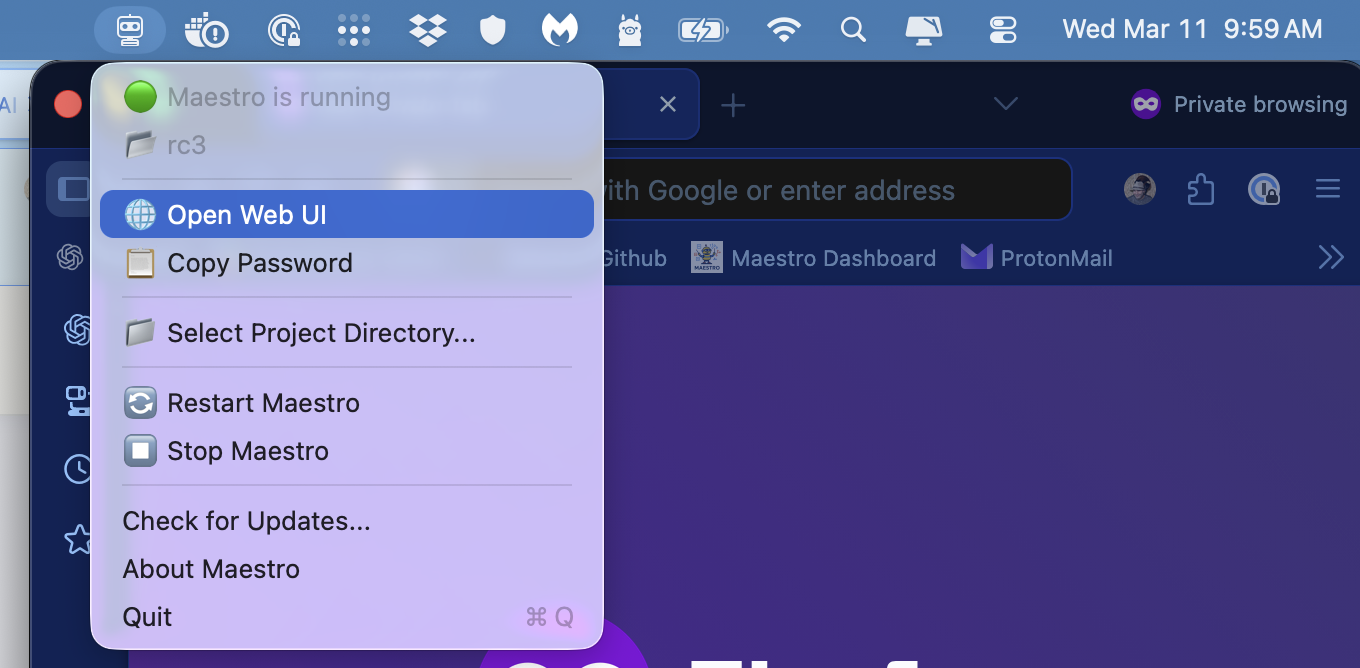
The macOS app is a menu bar application — it runs in the background rather than opening a window. Look for the Maestro icon in your menu bar (the robot head near the top-right of your screen), click it, and select "Open Web UI" to access Maestro.
Can I get support or assistance?
Support and assistance packages are available, including full implementation support for teams. Contact us for details.